Game Sync Download
Free for iPhone

When are we playing? What game?

Your friends mark when they're free and pick the games they want to play. Game Sync shows the best time and the games you all own.

Download on the App Store

Also on iPad, Apple Watch, Apple TV and in Messages.

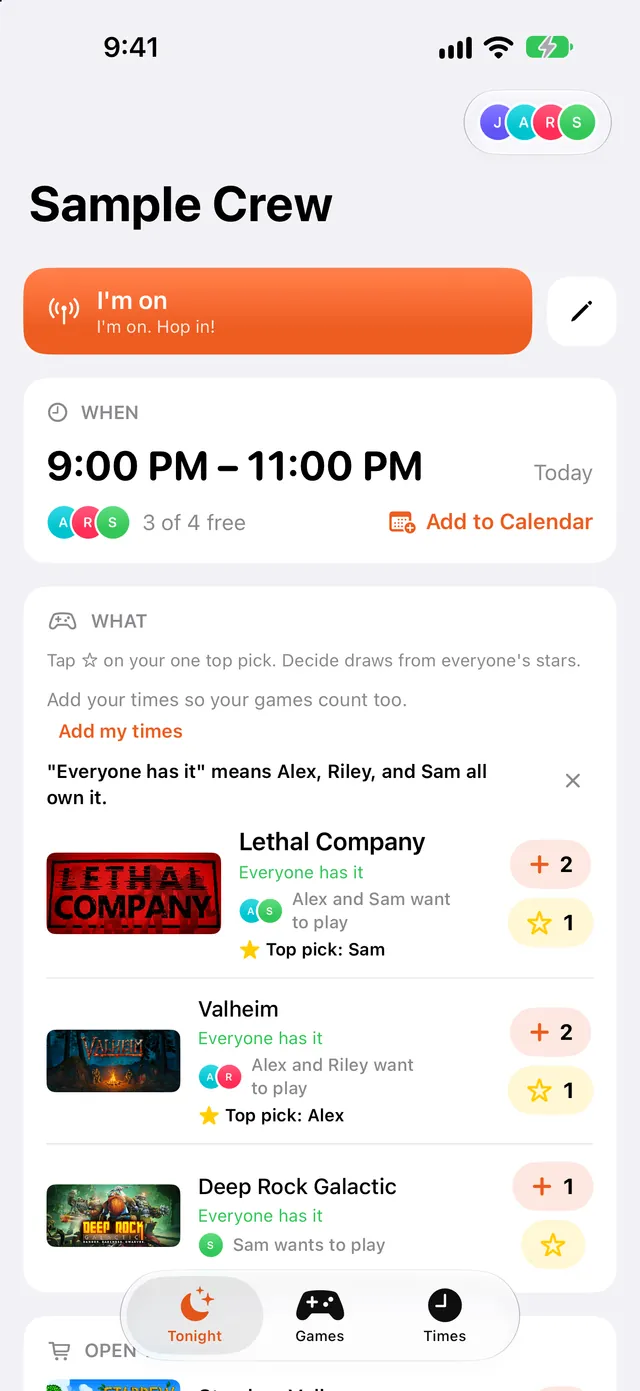
The Tonight screen in Game Sync. It shows game time at 9 PM, three of four friends free, and the games everyone owns.

How it works

You start a crew

Text your friends the invite link. It gets them the app and puts them in your crew.

Everyone adds their times

Each person taps the hours they can play this week, in their own time zone.

Everyone picks games

Tap + on the games you'd play and ☆ on your top pick.

Tonight shows the plan

It has the best time and the games everyone owns.

Made for friends who game together

Online crews

Friends who play together online and plan it in a group chat.

Different time zones

Everyone marks hours in their own time zone, and Game Sync converts them for each person.

Steam players

Link Steam and see which games the whole crew already owns.

Whoever does the planning

You don't have to ask each friend when they can play.

Fewer messages

Tonight shows the best time and who's free.

A game everyone owns

You can see who owns each game before anyone logs on.

Free

There are no ads and nothing to buy.

Messages

Polls in your group chat

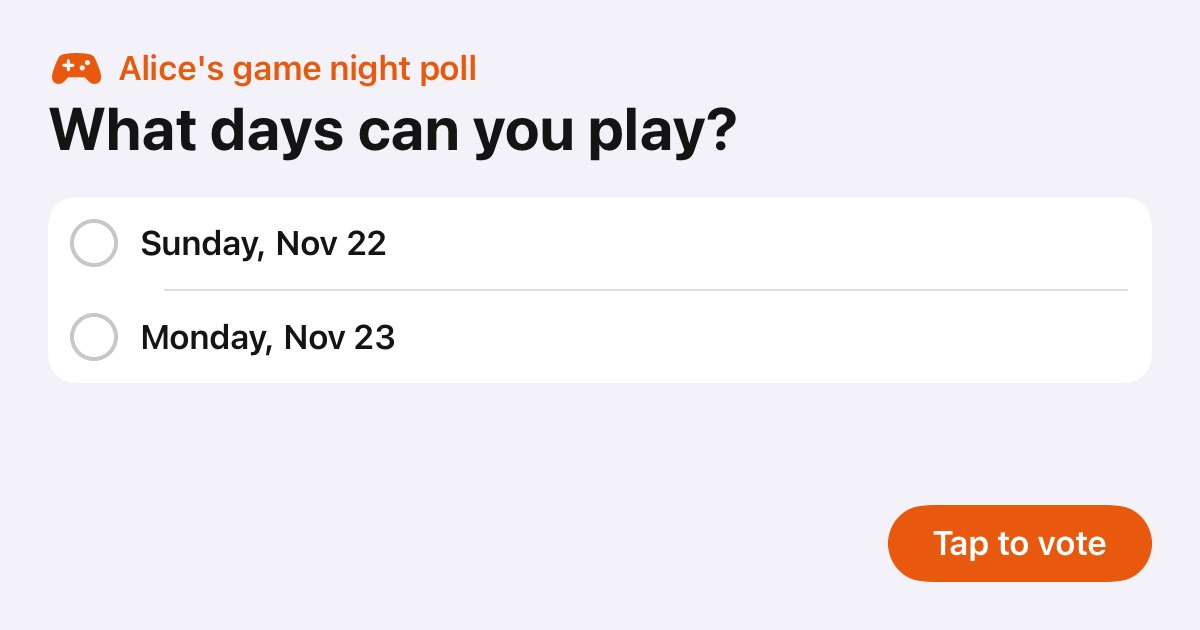
Open Game Sync in Messages, pick days or times and a few games, and send. The chat shows a picture of your poll. Tap it to vote.

  • Ask about days, or days and times.
  • Friends without the app vote right from the link, on any phone.
  • They can add games by typing them in.
  • Friends with the app go straight to the poll in Game Sync.
  • While you pick days, you see what's already on your calendar.
Times

Find the time

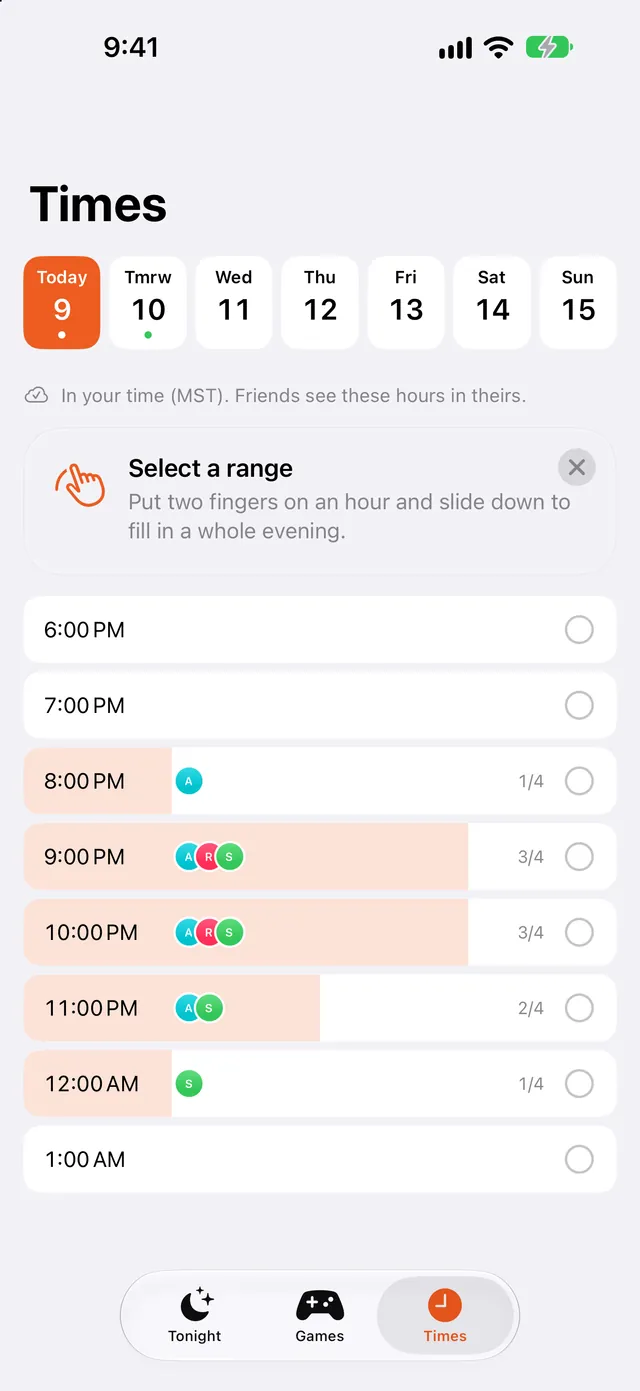
Mark the hours you can play. Game Sync shows when most of your crew is free.

  • Each hour shows who can make it.
  • A friend's 9 PM in New York shows as 6 PM in LA.
  • Add game night to your calendar.
The Times screen, with hours of the evening and how many friends are free in each.
Games

Games you all own

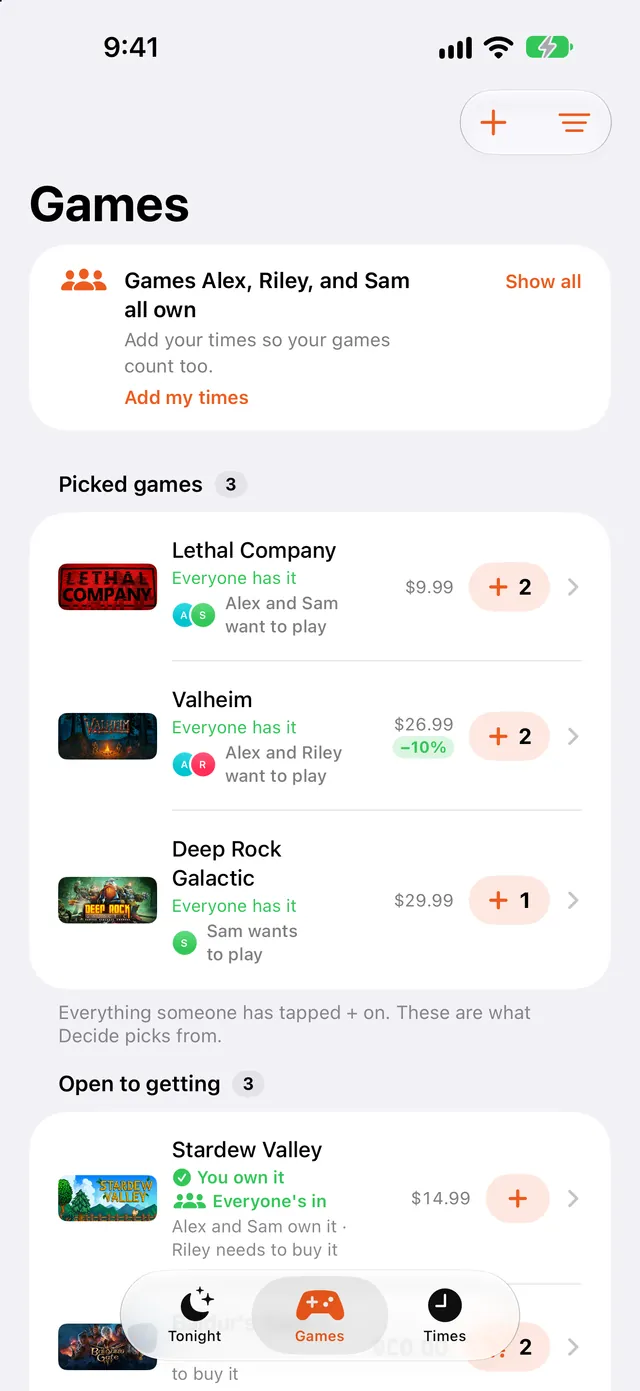
Link Steam and your library fills in by itself. Game Sync shows which games everyone has.

  • See who still needs to buy what.
  • Steam deals on games your crew wants.
  • No Steam? Search for games and add them yourself.
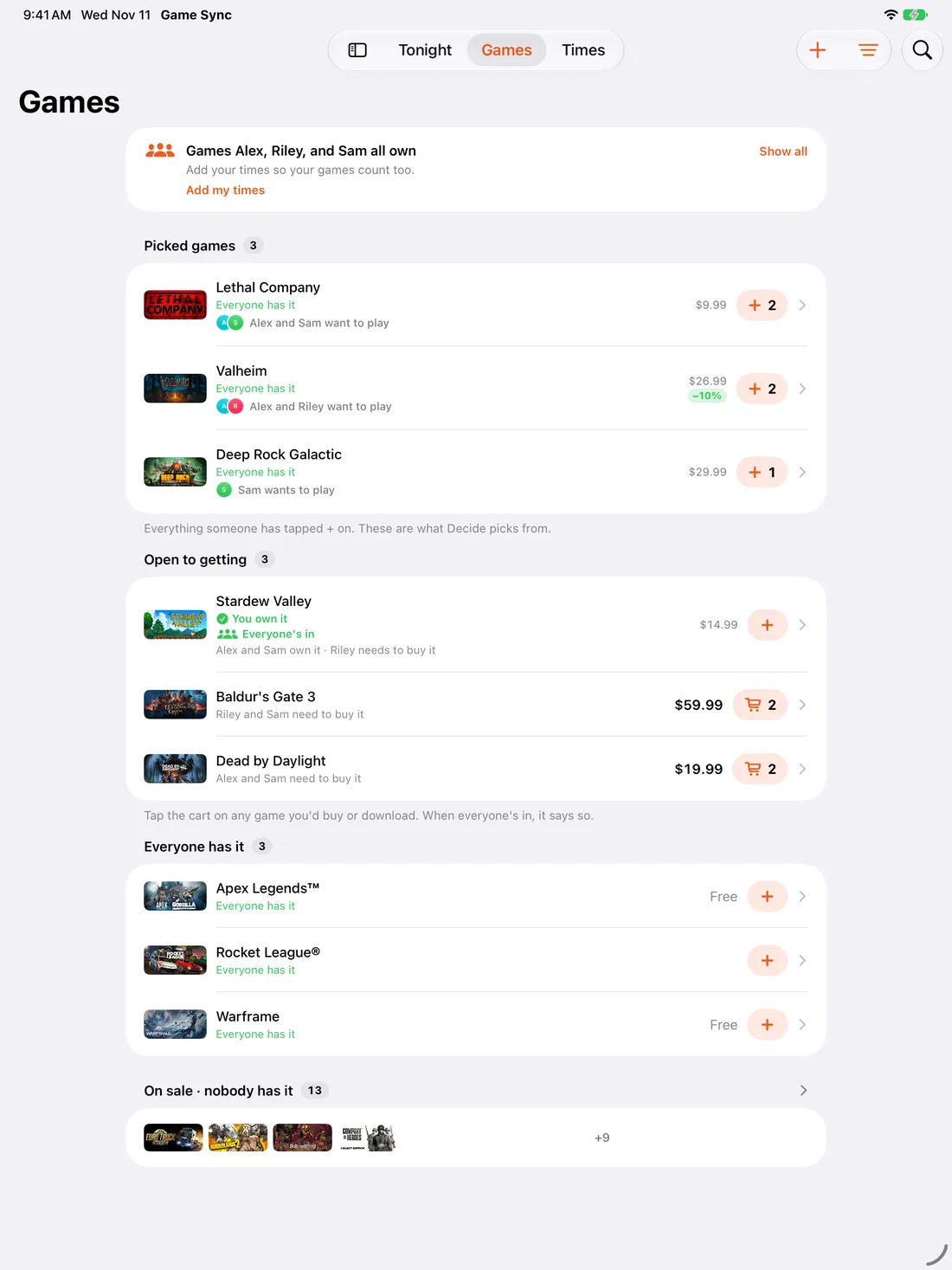
The Games screen, listing games everyone in the crew owns, with prices.
Decide

Can't agree?

Roll dice, flip a coin, draw straws or drop a ball down a peg board. You can shake your phone to throw.

  • Each die is a game. Highest roll wins.
  • Do it together on FaceTime with SharePlay.
  • Lock in the winner and the whole crew gets told.
Try it. Each die is a game.
Valheim
Deep Rock Galactic
Lethal Company
I'm on

Tell the crew you're on

One tap sends your crew a notification that you're ready to play. Write your own message or pick a quick one.

iPhone, iPad, Apple Watch and Apple TV

Download it once for iPhone, iPad, Apple Watch and Messages. On Apple TV, get it from the TV's App Store. Use the same iCloud account and your crews show up on their own.

iPhone

You make crews, mark your times, pick games and decide here.

  • Tonight shows the best time, who's free and the top game.
  • Links your Steam library so you see what everyone owns.
  • Notifications when friends are on or the game is locked in.
  • Adds game night to your calendar.
Tonight on iPhone.

iPad

The same crews and screens as iPhone, on a bigger display.

  • Browse the whole crew's games with art, prices and who owns what.
  • Send polls from Messages on iPad too.
The Games screen on iPad.

Apple Watch

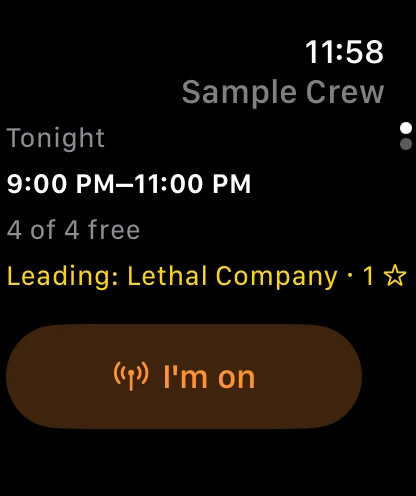
You can check tonight's plan without picking up your phone.

  • Tonight's time, how many are free and the leading game.
  • Tap I'm on to tell the crew you're ready.
  • See the crew's top games.
  • Add a complication to your watch face.
Game Sync on Apple Watch, showing tonight's time and the leading game.

Apple TV

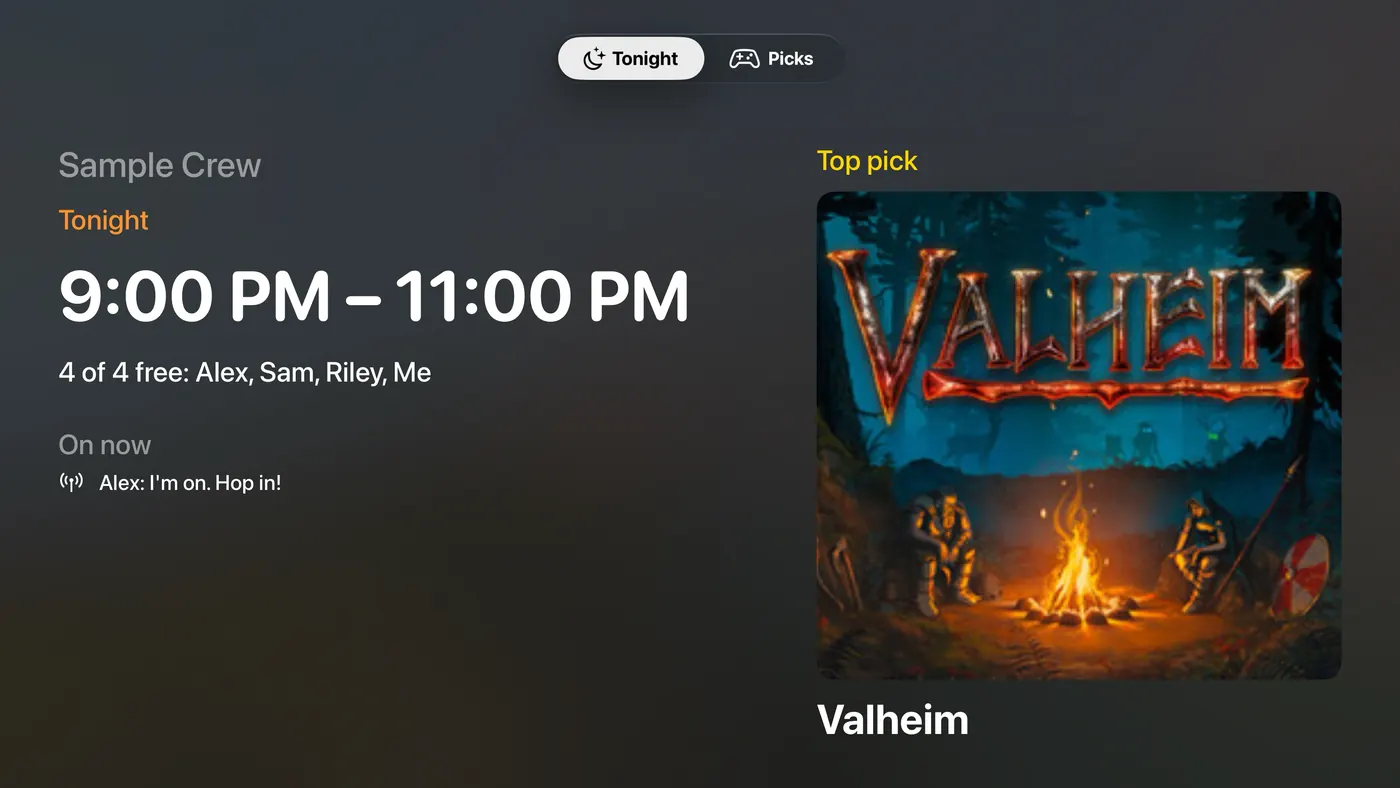
Put tonight's plan on the TV while everyone gets set up.

  • Tonight's time, who's free and the leading game.
  • Watch Steam trailers for the games your crew picked.
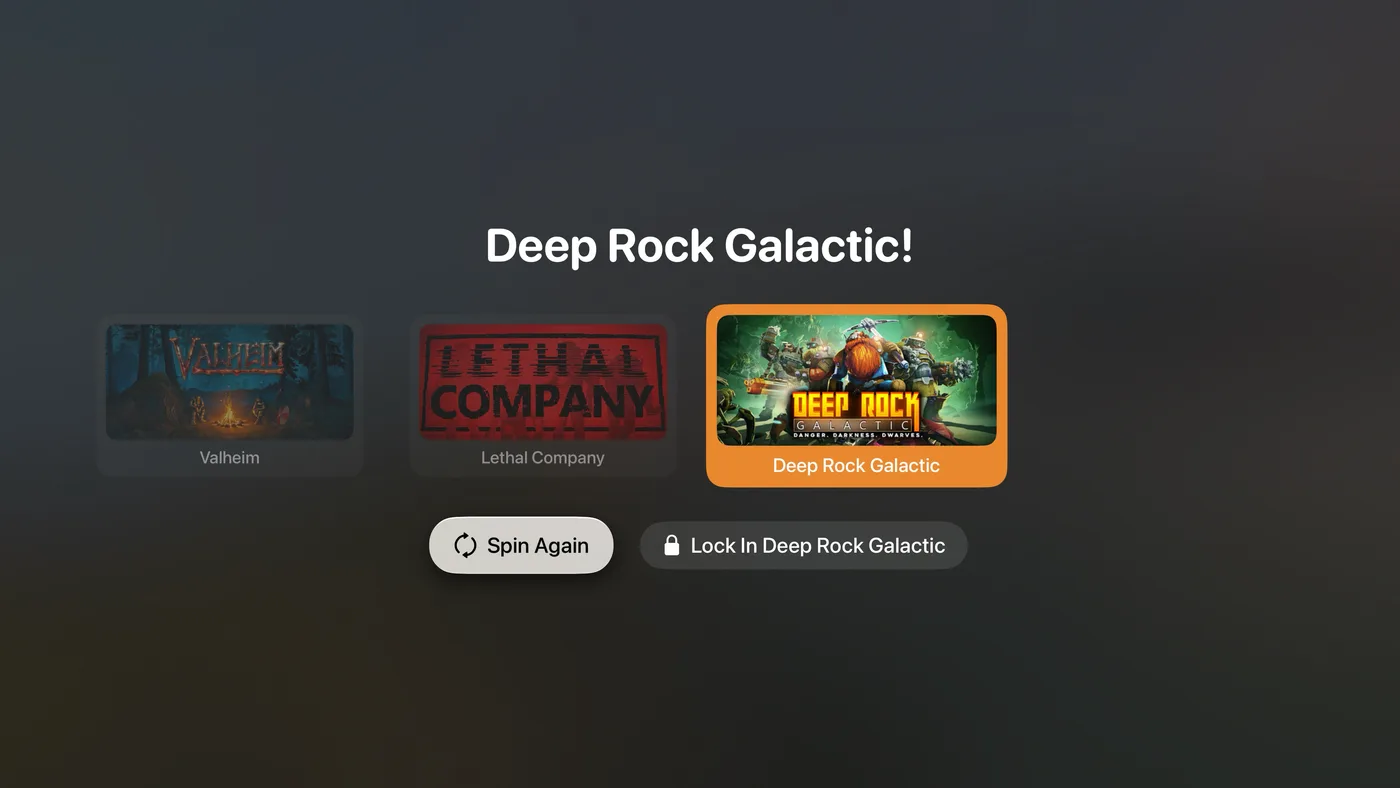
  • Spin to pick the game, then lock it in.
  • See who has said they're on.
A spin on Apple TV landing on Deep Rock Galactic. Game Sync on Apple TV, showing tonight's time, who's free and the leading game.

Your crew stays private

A crew is stored in its maker's iCloud and shared only with the people they invite. There are no ads and no tracking.

Questions

Does it cost anything?

No. Game Sync is free. There are no ads and nothing to buy in the app.

Do my friends need the app?

Not for polls. Anyone can answer a poll from the link, on any phone. To join your crew, they need an iPhone or iPad.

Do I need Steam?

No. You can skip it and search for games yourself. Linking Steam fills in your library for you.

My Steam games don't show up.

In Steam, open Privacy Settings and set Game details to Public. Then reload your library in Game Sync.

Is there an Android app?

No. Friends on Android can still answer polls from the link.

Do I need to set up my Watch or Apple TV?

No. Install Game Sync and use the same iCloud account. Your crews show up on their own.

What devices does it work on?

iPhone, iPad, Apple Watch, Apple TV and Messages. Polls open in any web browser, so friends on Android or a computer can vote too.

Game Sync is free on the App Store

For iPhone, iPad, Apple Watch and Apple TV.

Download Game Sync